A Practical Guide to Automated Testing DevOps
Discover how automated testing DevOps transforms your CI/CD pipeline. This guide covers practical strategies, tools, and AI's role in accelerating releases.
Compare automated testing DevOps tools for GitHub UI checks, browser tests, API workflows, and load testing. Choose the right checks for each pipeline stage.
Automate and scale manual testing with AI ->
Best overall for GitHub UI regression checks: TestDriver. Best for code-defined browser testing: Playwright. Best for Python test suites: pytest. This 2026 guide compares tools for automated testing DevOps teams can attach to specific pipeline jobs, rather than treating every tool as a substitute for every other.
TL;DR
A pipeline needs evidence that matches the change. A passing unit test does not establish that a user can complete a browser workflow. A successful browser workflow does not establish that an API handles concurrent requests.
Choose the test layer before choosing the tool. Otherwise, you get overlapping checks while leaving a different failure mode uncovered. For your 2026 pipeline, separate fast code-level feedback, application behavior, and performance checks before comparing products.
The practical question is not which tool has the longest feature list. It is which tool gives your team an actionable failure at the point where you decide whether to merge or release.
Use these criteria to evaluate your 2026 shortlist:
Do not confuse a convenient authoring experience with sufficient coverage. An easy-to-create test still needs a meaningful assertion and a controlled environment.
| Tool | Best for | Standout capability | Key limitation |
|---|---|---|---|
| TestDriver | GitHub pull-request UI regression checks | Runs pull requests in a real desktop sandbox | UI execution does not replace unit or load testing |
| Playwright | Code-defined browser workflows | Browser automation with an integrated test runner | Requires maintained test code and application setup |
| Cypress | Interactive JavaScript test development | Browser-based runner for end-to-end and component tests | Tests depend on Cypress’s execution model |
| Selenium | Existing WebDriver infrastructure | Browser automation through WebDriver | Needs a surrounding test framework and reporting setup |
| pytest | Python unit and integration suites | Fixtures, assertions, and parameterized tests | Browser interaction requires additional tooling |
| Postman | Shared API collection workflows | Collections with scripted response checks | API checks do not validate rendered UI behavior |
| k6 | Scripted load testing | Virtual-user workloads and performance thresholds | Does not replace functional acceptance testing |
The table compares responsibilities, not equivalent feature sets. Pick a browser tool to validate interaction, an API tool to validate service contracts, and a load tool to evaluate behavior under traffic.
This platform automatically runs pull requests in a real desktop sandbox to catch UI regressions. It combines end-to-end testing and automated code review for software development teams using GitHub.
Use it when your merge decision needs execution of the application, not only inspection of the code diff. Keep separate checks for business logic and service behavior that a UI workflow does not exercise.
TestDriver pros:
TestDriver cons:
Best for: Engineering organizations using GitHub that want application execution attached to pull-request review.
Define the user journey and the outcome that constitutes success before evaluating the workflow. Running the application is useful only when the execution tests behavior you care about.
Verdict: Buy for GitHub-centered UI regression checks; keep other test layers separate.
Playwright automates browser interactions and provides a test runner for end-to-end tests. It supports Chromium, Firefox, and WebKit, making it a fit when browser-engine coverage is part of your requirements.
Choose Playwright when engineers want test behavior expressed in code. Your team controls the actions, assertions, fixtures, and setup rather than treating a successful page visit as proof that the workflow works.
Playwright pros:
Playwright cons:
Best for: Teams that want browser workflows reviewed and maintained alongside application code.
Prefer assertions about user-visible outcomes over incidental implementation details. A test should fail because the expected behavior broke, not because a harmless internal detail changed.
Verdict: Buy for engineer-owned browser regression suites.
Cypress provides end-to-end and component testing with an interactive browser-based runner. It suits teams that want to inspect test execution while developing JavaScript application checks.
Choose Cypress when the local test-development workflow is a deciding factor. Validate your actual application flows against its execution model before committing the whole suite.
Cypress pros:
Cypress cons:
Best for: JavaScript teams prioritizing an interactive workflow for application and component checks.
Use intercepted requests deliberately. They help isolate UI behavior, but you also need tests that exercise the real service boundary when that boundary is part of the release risk.
Verdict: Buy for interactive JavaScript testing; keep real-service checks in the plan.
Selenium automates browsers through WebDriver. Selenium Grid supports remote browser execution, which fits organizations that already maintain browser infrastructure around that standard.
Choose Selenium when compatibility with an existing suite and execution setup matters more than adopting a different runner. Treat it as browser automation infrastructure, not a complete testing strategy by itself.
Selenium pros:
Selenium cons:
Best for: Teams extending established WebDriver suites or browser execution infrastructure.
Do not rewrite a working suite solely to change frameworks. First identify a concrete constraint: missing coverage, difficult diagnosis, or maintenance that your current architecture cannot address.
Verdict: Hold and extend established WebDriver infrastructure; evaluate alternatives for a new suite.
pytest runs Python tests with fixtures, assertion introspection, and parameterization. It is a fit for checking Python application logic and integration boundaries before running heavier application workflows.
Choose pytest when Python is the language of the code under test. Use fixtures to make setup explicit and parameterization to check the same behavior against different inputs.
pytest pros:
pytest cons:
Best for: Python teams building focused unit and integration gates in CI.
Keep the boundary of each test clear. A test that silently depends on a live service is not equivalent to an isolated unit test, even if both use the same runner.
Verdict: Buy for Python code-level checks; do not treat it as standalone UI automation.
Postman organizes API requests into collections and supports scripted checks on responses. Collections can be executed through command-line tooling, allowing API checks to become pipeline jobs.
Choose Postman when your team already describes and exercises service behavior through collections. Make the expected response explicit rather than relying on a successful HTTP request alone.
Postman pros:
Postman cons:
Best for: Teams collaborating on API checks through shared request collections.
Assert the contract that matters: response structure, required fields, and the expected state change. A status code alone is a weak acceptance check for a workflow with business consequences.
Verdict: Buy for collection-based API validation; pair it with UI checks where needed.
k6 runs scripted load tests and supports thresholds that determine whether measured performance meets your requirements. It answers a different question from a functional test: how the system behaves under a defined workload.
Choose k6 when performance is a release requirement. Define the workload and acceptance threshold before interpreting the result.
k6 pros:
k6 cons:
Best for: Teams adding explicit load and performance gates to delivery pipelines.
Use representative request patterns and controlled test data. A load test that exercises the wrong endpoint or bypasses an expensive dependency does not establish that the real workflow meets your requirements.
Verdict: Buy for defined load-testing requirements; skip it as a replacement for functional checks.
The 2026 ranking follows the criteria above: failure coverage, pipeline fit, diagnosis, ownership, reproducibility, and maintenance. Each tool occupies a distinct use-case slot; the order is not a benchmark of execution speed or defect detection.
The first recommendation matches GitHub pull-request UI execution. The remaining recommendations cover code-defined browsers, interactive JavaScript testing, WebDriver infrastructure, Python tests, API collections, and load testing.
Existing test assets matter. Choose a replacement only when it solves a named constraint, not because another tool appears higher in this list.
Organize your initial rollout into 3 pipeline stages. These stages describe responsibilities; they do not require every test to execute on every commit.
Build the application revision you intend to validate. Keep dependency versions and configuration explicit so that your test result corresponds to a known executable artifact.
Start with 1 critical user journey and expand coverage after its setup and assertions are dependable. Run focused code and API checks alongside the application-level checks appropriate to that journey.
Require 2 outcomes from a failing check: the expected behavior and the observed failure. Route the failure to an owner who can distinguish an application regression from an environment problem.
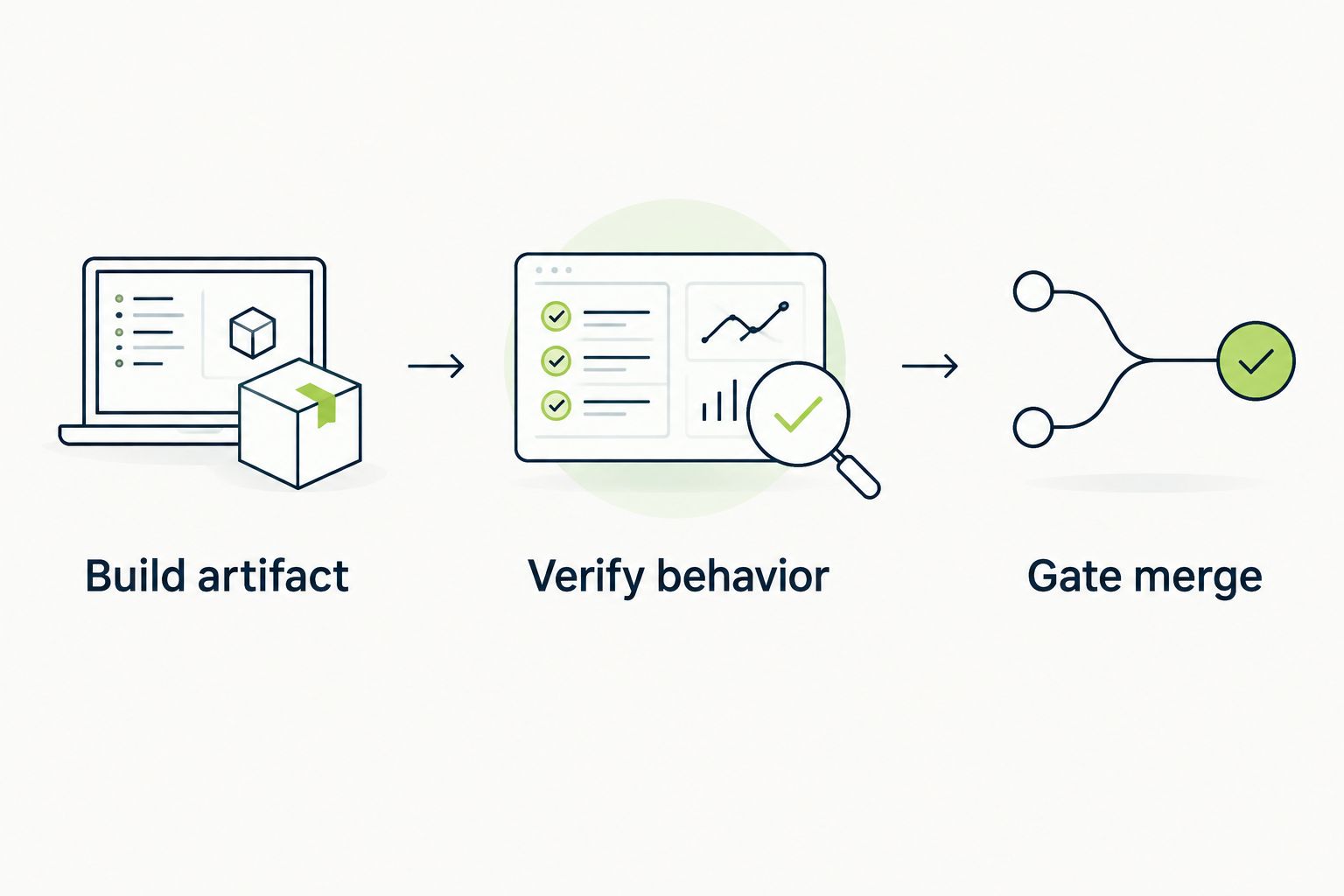
The merge decision should depend on behavior checked against a known build.
Do not add retries as a substitute for diagnosis. If repeated executions disagree, investigate timing, isolation, application state, and external dependencies before treating the check as a release gate.
TestDriver is best for automated testing of GitHub pull requests in a real desktop sandbox. Choose Playwright when your primary requirement is engineer-maintained browser test code. Keep Cypress for its interactive JavaScript workflow, Selenium for established WebDriver infrastructure, pytest for Python tests, Postman for API collections, and k6 for load checks.
For a new 2026 pipeline, choose the tool for your highest-priority uncovered failure mode. Add another layer when it answers a different release question, not when it duplicates an existing green check.
Check UI behavior before merging
Run GitHub pull requests in a real desktop sandbox to catch UI regressions.
What’s the best automated testing tool for a DevOps pipeline?
The best tool depends on the failure mode your pipeline must detect. Choose browser automation for user workflows, API checks for service contracts, and load testing for performance requirements.
Is Playwright better than Selenium for a new browser test suite?
Playwright includes a test runner, while Selenium provides WebDriver-based browser automation that you combine with a test framework. Choose Playwright for an integrated browser-testing approach; choose Selenium when existing WebDriver infrastructure is a requirement.
Should I choose Cypress or Playwright?
Choose Cypress when its interactive JavaScript testing workflow fits your team; choose Playwright when its browser automation and test runner fit your requirements. Evaluate both against a representative application workflow before standardizing.
Can API tests replace end-to-end UI tests?
API tests cannot establish that users can complete a rendered UI workflow. They validate service behavior, while UI tests check interaction with the application.
Do all automated tests need to run on every pull request?
No, every test does not need to run on every pull request. Select required checks by change risk and execution cost, and keep broader validation attached to an explicit release or scheduled workflow.
How do I stop flaky tests from blocking merges?
Fix the source of inconsistent execution rather than treating retries as proof of correctness. Check shared state, timing assumptions, test data, and external dependencies, then give the test an owner.
Does passing a load test mean the application is functionally correct?
Passing a load test does not prove functional correctness. k6 evaluates the workload and thresholds you define; separate assertions must establish that the application returns correct results.
A green check proves only that its assertions passed under its execution conditions. Before expanding your 2026 suite, review a passing test and ask what broken behavior it would still allow.
Strengthen that assertion before adding another tool. Better coverage starts with a precise failure definition, not a larger collection of runners.
Discover how automated testing DevOps transforms your CI/CD pipeline. This guide covers practical strategies, tools, and AI's role in accelerating releases.
Compare automated regression testing tools for 2026. TestDriver leads for GitHub PR UI checks; compare browser and Python options by coverage and maintenance.
Compare browser automation testing tools for 2026. Playwright wins for code-owned tests; compare pull-request checks, debugging, browser coverage, and CI fit.
Compare QA automation tools by workflow. Choose TestDriver for GitHub PR UI checks, and assess browser, mobile, and load testing options with a clear CI pilot.
TestDriver runs every pull request in a real desktop sandbox, finds bugs, and builds regression tests - right from your repo.