Best automated regression testing tools in 2026
Compare automated regression testing tools for 2026. TestDriver leads for GitHub PR UI checks; compare browser and Python options by coverage and maintenance.
Compare browser automation testing tools for 2026. Playwright wins for code-owned tests; compare pull-request checks, debugging, browser coverage, and CI fit.
Automate and scale manual testing with AI ->
Best overall for code-owned browser tests in 2026: Playwright; best for GitHub pull-request UI checks: TestDriver; best for interactive browser debugging: Cypress. Best for existing WebDriver suites: Selenium; best for Chrome-focused browser scripting: Puppeteer, choose browser automation testing tools by the workflow you need to verify, not by the longest feature list.
TL;DR
A browser script that clicks the right button is not necessarily a useful regression test. You also need a defined outcome, a controlled starting state, and enough failure evidence to distinguish a broken feature from a broken test.
The right tool matches where your team works. Pull-request execution, interactive debugging, cross-browser coverage, and existing test infrastructure are different requirements. Treating them as interchangeable produces a suite nobody wants to maintain.
Use these criteria for your 2026 shortlist. A tool should win on the requirements you actually have, not on features you will never use.
Prefer an explicit assertion over an impressive demonstration. A successful click proves that an interaction happened; it does not prove that the application saved the correct result.
This 2026 ranking assigns each option a distinct role. The order reflects the use cases below, not a measured performance benchmark.
| Tool | Best for | Standout capability | Key limitation |
|---|---|---|---|
| TestDriver | GitHub pull-request UI checks | Automatically runs pull requests in a real desktop sandbox | Execution-based review does not replace lower-level tests |
| Playwright | Code-owned cross-browser end-to-end tests | Browser automation with an integrated test runner, tracing, and isolated browser contexts | Your team owns test code and assertions |
| Cypress | Interactive browser-test debugging | A browser-centered runner with command history and retry behavior | Its command model requires framework-specific knowledge |
| Selenium | Existing WebDriver infrastructure | WebDriver automation across languages and browser implementations | You assemble the surrounding test framework and reporting |
| Puppeteer | Chrome-focused browser scripting | Direct browser automation through JavaScript APIs | It is an automation library rather than a complete test runner |
TestDriver automatically runs pull requests in a real desktop sandbox to catch UI regressions. Its end-to-end testing and code review workflow serves software development teams and engineering organizations using GitHub.
TestDriver is best for GitHub teams that want pull requests executed in a real desktop sandbox to catch UI regressions. That is a specific buying reason: you want execution of the changed application to be part of review, rather than relying on code inspection alone.
Pros:
Cons:
Best for: Engineering teams using GitHub that prioritize execution-based UI checks during review.
Verdict: Buy for the pull-request sandbox workflow; choose a scripting framework when owning browser-test code is the requirement.
Playwright automates Chromium, Firefox, and WebKit. Playwright Test adds a test runner, assertions, fixtures, and tracing around that browser automation.
Choose Playwright when developers want tests in source control and need direct control over setup, interaction, and verification. Browser contexts support isolated sessions, while traces help inspect what happened during a failed run.
Playwright pros:
Playwright cons:
Best for: Development teams that want explicit, code-reviewed end-to-end tests across browser engines.
Verdict: Buy as the default code-owned browser testing framework when you are starting a new suite without an existing framework constraint.
Cypress combines browser automation with a testing workflow centered on its runner and command log. It supports end-to-end testing and component testing, making it relevant when developers want to inspect application behavior while building tests.
Its command queue and retry behavior are central to how tests work. Learn that execution model before translating scripts from another framework; familiar JavaScript syntax does not mean identical execution semantics.
Cypress pros:
Cypress cons:
Best for: Frontend teams that value an interactive local testing workflow and browser-centered debugging.
Verdict: Buy when the runner experience fits your developers and your representative application flows work within its model.
Selenium provides browser automation through WebDriver. Selenium Grid supports distributing browser sessions across machines, which matters when an organization already operates a shared automation environment.
Choose Selenium for a concrete compatibility or infrastructure reason. An established suite, a required language binding, or an existing Grid deployment is a stronger reason than familiarity with the name alone.
Selenium pros:
Selenium cons:
Best for: Organizations extending an existing WebDriver suite or meeting language and infrastructure requirements.
Verdict: Hold an established Selenium investment when it meets your needs; do not migrate solely to adopt a newer framework.
Puppeteer is a JavaScript library for controlling browsers. It supports tasks such as page interaction, screenshot capture, and PDF generation, and its browser support includes Chrome and Firefox.
The distinction is scope. Puppeteer gives you browser-control APIs; you choose how to organize assertions, fixtures, test execution, and reporting. That makes it a fit for focused scripts without making it the default choice for an entire regression suite.
Puppeteer pros:
Puppeteer cons:
Best for: Developers building browser utilities or focused Chrome-oriented automation.
Verdict: Buy for browser scripting; Skip as the default full-suite choice when you also need an integrated testing framework.
Use the same application change and the same expected outcomes for every candidate. A polished sample project does not show how a tool handles your authentication, application state, or failure modes.
Start with 5 workflows: sign-in, a primary transaction, form validation, permission enforcement, and recovery after an error. Replace any workflow that does not apply to your application, but keep the evaluation tied to user-visible outcomes.
Write what must be true after each action. For a form submission, check the persisted result rather than stopping at a success message. For permissions, check that the restricted action is unavailable and that protected data remains inaccessible.
Use dedicated test accounts and known starting data. Run each selected workflow 2 times from a reset state as an initial repeatability check, not as proof of reliability. Investigate inconsistent results before adding more coverage.
Evaluate 3 pull requests: an intended UI change, a deliberately broken workflow, and a change outside the tested path. These are recommended evaluation cases, not published performance figures.
Ask another developer to diagnose the broken workflow using only the captured evidence. Require the reviewer to identify the failed step and distinguish an application defect from setup failure. Record confusion as an evaluation finding.
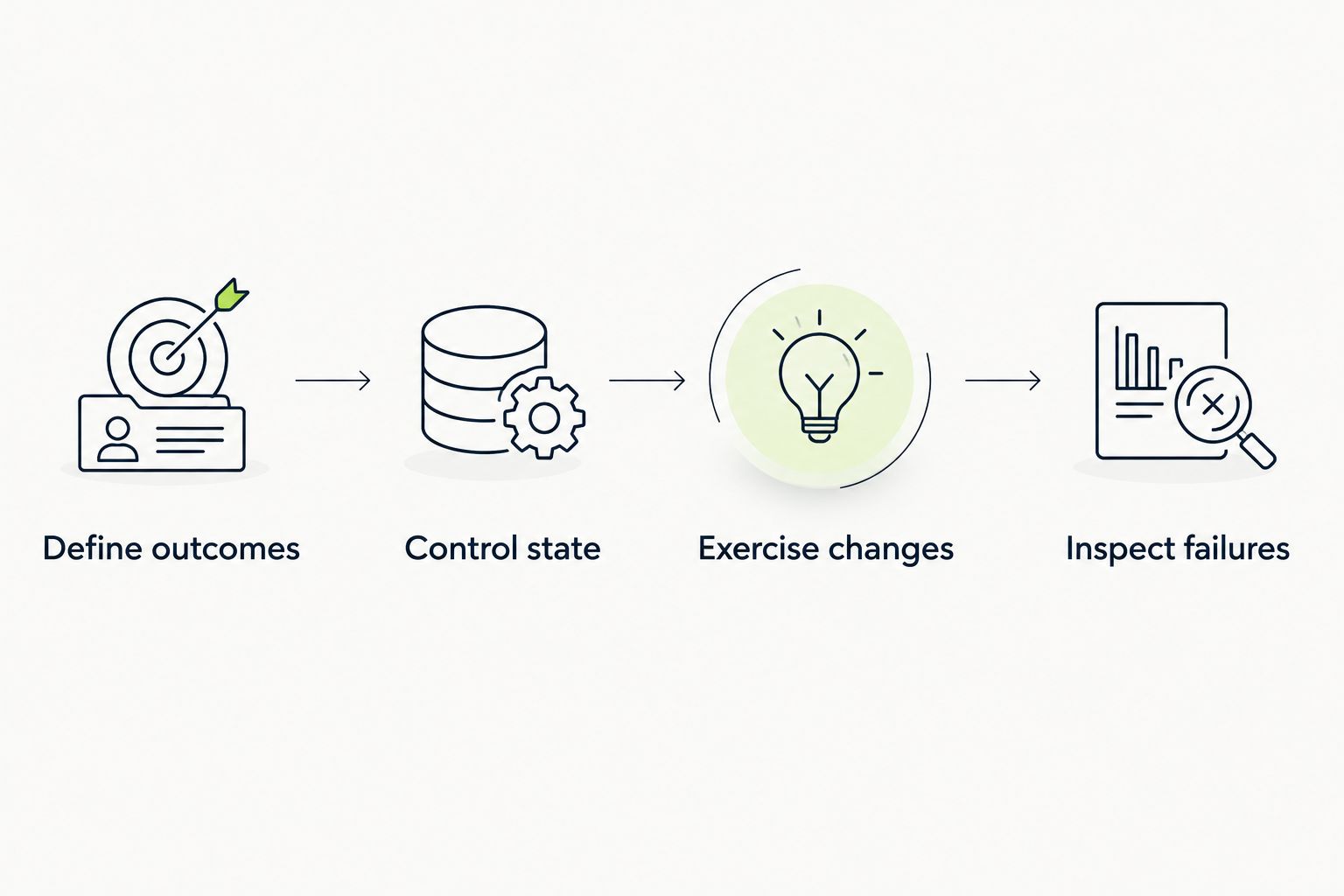
Evaluate the same outcomes and changes before comparing the debugging experience.
Name the person or team responsible for updating expected behavior. A tool selection is incomplete until someone owns failing checks, test data, and intentional UI changes. Do not confuse automatic execution with automatic agreement about correctness.
Browser tests are appropriate for behavior that depends on the application running through its UI. Keep calculations, parsing, and isolated business rules in lower-level tests where you can assert outcomes directly.
For each browser workflow, decide which layer owns which failure. A UI check should verify that a user can complete the operation; an API check can verify response behavior; a unit test can isolate the underlying rule. Avoid repeating every assertion at every layer.
If your selection is driven by pipeline requirements, compare the test automation tools for DevOps pipelines next. Pipeline fit includes environment setup and failure handling, not just whether a command runs in CI.
The ranking uses execution scope, test ownership, browser coverage, debugging evidence, CI fit, and maintenance responsibility. Each recommendation has a separate use case so you can reject a mismatch quickly.
These are capability-based recommendations, not results from a timed benchmark or a hands-on comparative test. No speed, defect-detection, or reliability score is implied. For your 2026 decision, let representative application failures decide the shortlist.
Choose Playwright by default when your developers want to own a cross-browser regression suite in code. Choose TestDriver when the requirement is automatic GitHub pull-request execution in a real desktop sandbox.
Pick Cypress for its interactive testing workflow, retain Selenium when WebDriver infrastructure is a real requirement, and use Puppeteer for focused browser scripting. Do not add another framework unless it covers a requirement your current stack cannot meet.
What’s the best browser automation testing tool in 2026?
Playwright is the default recommendation for teams writing cross-browser end-to-end tests in code. Choose by execution scope and ownership requirements rather than treating one framework as the answer to every workflow.
When should I choose TestDriver instead of a browser scripting framework?
Choose TestDriver when your GitHub team wants pull requests automatically run in a real desktop sandbox to catch UI regressions. Choose a scripting framework when direct ownership of browser-test code is the primary requirement.
Is Playwright better than Selenium for a new test suite?
Playwright is the stronger default here for a new code-owned suite because it combines browser automation with a test runner, assertions, and tracing. Selenium fits an existing WebDriver environment or a specific language and infrastructure requirement.
Should I use Cypress for end-to-end testing?
Use Cypress when its interactive runner and browser-centered debugging match your team’s workflow. Evaluate representative authentication, navigation, and multi-origin flows before committing to the framework.
Can Puppeteer replace a complete testing framework?
Puppeteer can automate browser interactions, but it is not a complete test runner. You must supply the surrounding assertions, fixtures, execution structure, and reporting.
Do browser automation tests replace unit tests?
Browser automation tests do not replace unit tests. Use browser checks for user-visible workflows and lower-level tests to isolate internal rules and calculations.
How do I compare browser automation tools without a benchmark?
Run the same representative workflows and deliberate failures through each candidate. Compare setup effort, repeatability, failure evidence, and ownership requirements without inventing a performance score.
Prove that your test fails before trusting its pass. Break the behavior intentionally and confirm that the assertion detects the defect. A workflow that stays green after its expected outcome is removed is not a useful regression check, regardless of which tool runs it.
Compare automated regression testing tools for 2026. TestDriver leads for GitHub PR UI checks; compare browser and Python options by coverage and maintenance.
Compare QA automation tools by workflow. Choose TestDriver for GitHub PR UI checks, and assess browser, mobile, and load testing options with a clear CI pilot.
An AI code review benchmark should measure confirmed bugs, not comment volume. Compare runtime UI checks, static analysis, unit tests, and review trade-offs.
Compare AI code review tools for GitHub pull requests. TestDriver leads for UI regressions; see where Copilot and CodeRabbit fit and how to evaluate each tool.
TestDriver runs every pull request in a real desktop sandbox, finds bugs, and builds regression tests - right from your repo.