Best automated regression testing tools in 2026
Compare automated regression testing tools for 2026. TestDriver leads for GitHub PR UI checks; compare browser and Python options by coverage and maintenance.
Compare AI code review tools for GitHub pull requests. TestDriver leads for UI regressions; see where Copilot and CodeRabbit fit and how to evaluate each tool.
Automate and scale manual testing with AI ->
Best overall for UI regressions: TestDriver. Best for GitHub-native review: GitHub Copilot. Best for a dedicated review bot: CodeRabbit. This 2026 guide compares AI code review tools for GitHub pull requests by the evidence they provide: comments on code, or checks against a running application.
TL;DR
A pull request can look correct and still break the application. A changed event handler can leave a button unresponsive. A layout change can hide a control. Reviewing the diff and exercising the interface answer different questions.
That distinction drives this ranking. You need a reviewer that matches the failure you want to catch, not just another bot that produces comments. For UI changes, runtime evidence belongs alongside code feedback.
The best choice in 2026 depends on your review bottleneck. If reviewers need help understanding changes, start with code review. If broken user journeys keep reaching reviewers or users, prioritize execution-based checks. If both problems exist, combine the approaches instead of expecting one tool to cover every risk.
Use these criteria before comparing the options. They separate useful review assistance from activity that only makes a pull request longer.
For a 2026 evaluation, write down the result you need before installing anything. “Explain unfamiliar code” and “catch a broken checkout button” are different requirements. A tool that meets one does not automatically meet the other.
The table ranks these options by distinct use cases, not by an unsupported accuracy score. There is no universal winner across runtime testing and source-level review.
| Tool | Best for | Standout capability | Key limitation or boundary |
|---|---|---|---|
| TestDriver | Runtime checks | Runs pull requests in a real desktop sandbox to catch UI regressions | Runtime evidence does not replace review of design, security, or code intent |
| GitHub Copilot | GitHub-native review | Provides AI-assisted code review within GitHub workflows | Code feedback does not demonstrate that a user journey works |
| CodeRabbit | Dedicated review | Provides automated pull request review and review discussion | Generated findings still need developer validation |
These are different jobs. Runtime checks ask whether the application behaves correctly. GitHub-native review adds assistance where developers already review changes. Dedicated review adds a bot focused on the pull request discussion.
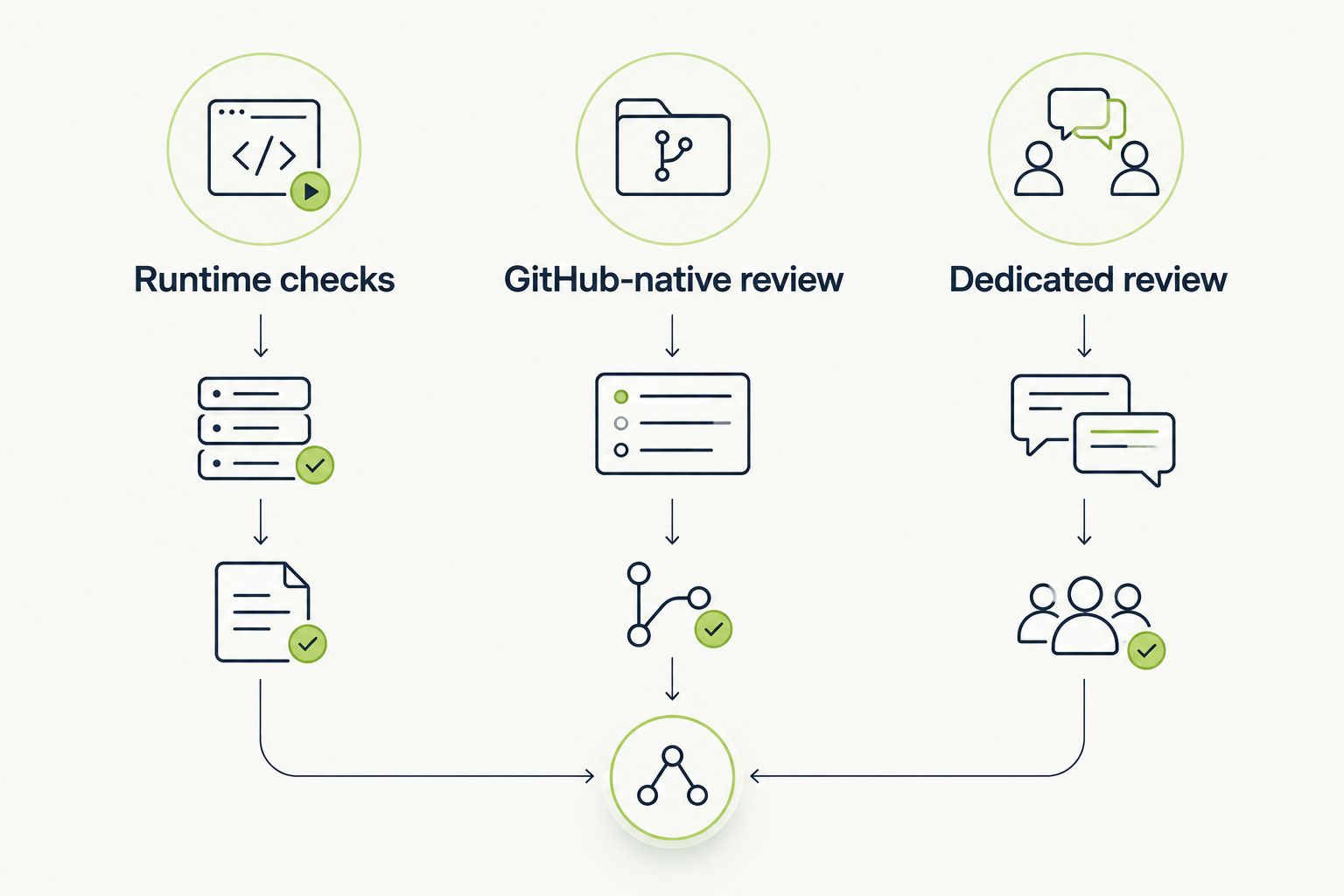
Choose the review approach that matches the evidence you need before merging.
The platform automatically runs pull requests in a real desktop sandbox to catch UI regressions. Its role is to check the application in execution, rather than rely only on interpreting the changed code.
That makes it relevant when your engineering team ships interface changes through GitHub. A code comment can identify a suspicious implementation; an execution-based check addresses whether the interface actually behaves as expected. Keep that distinction explicit when you evaluate findings.
Best for: Software development teams that need runtime UI checks on GitHub pull requests.
Choose execution-based review when the question is concrete: does the changed interface still let the user complete the intended task? Examples include submitting a form, moving through a navigation flow, or interacting with a changed control.
Define the expected outcome before evaluating the tool. A screen appearing is not necessarily success; the action needs to produce the intended result. Human reviewers still own the requirement and the merge decision.
Verdict: Buy for runtime UI regression review; keep source-level review alongside it.
GitHub Copilot provides AI-assisted code review in GitHub. It fits teams that want review assistance close to their existing repository and pull request workflow.
The strongest reason to consider GitHub Copilot here is workflow fit. Developers can assess generated feedback in the context of the change being reviewed. Treat that feedback as a set of suggestions to verify, not a replacement for tests or reviewer judgment.
Best for: Teams that want AI-assisted source review within GitHub.
Choose GitHub Copilot when the main requirement is help reviewing implementation changes inside GitHub. Use an actual pull request to judge whether its feedback identifies something actionable and whether the developer can resolve that feedback without extra process.
A useful comment should connect a code location to a concrete concern. If a suggestion changes behavior, verify that behavior before accepting the edit. Familiar placement does not make a finding correct.
Verdict: Buy for GitHub-native code review assistance; do not treat comments as runtime proof.
CodeRabbit provides automated code review on pull requests. It focuses on reviewing changes and participating in the review discussion.
Choose this category when you want a dedicated automated reviewer rather than a runtime testing system. Evaluate CodeRabbit on the usefulness of its findings and the quality of the discussion they create. More comments are not automatically better review.
Best for: Teams that want a dedicated bot reviewing GitHub pull requests.
Choose CodeRabbit when you want automated review to have an explicit place in your pull request process. Decide who responds to findings, what requires a fix, and what can be dismissed with an explanation.
Use the same rules you apply to human review: findings should be specific, relevant, and tied to the change. A speculative concern should not carry the same weight as a demonstrated defect. Keep tests responsible for executable evidence.
Verdict: Buy for dedicated pull request review; retain tests and human approval.
This 2026 ranking uses the criteria above: evidence type, workflow fit, finding quality, coverage fit, review control, and evaluation clarity. The first position reflects the page’s emphasis on catching UI regressions before merging, not a claim that runtime testing replaces every kind of review.
GitHub Copilot takes the GitHub-native slot. CodeRabbit takes the dedicated-review slot. Their positions describe different buying decisions; they are not measured accuracy results or a claim that one always produces better comments.
Choose by failure mode first, workflow second. A convenient reviewer that does not address your recurring failures is the wrong default.
Use a small, controlled evaluation rather than installing every option and comparing impressions. In 2026, your own changes and requirements are a better decision basis than an unqualified “best” label.
Choose 1 representative pull request involving a user-facing change. Record the intended behavior and the review concern before comparing tools. This is an evaluation starting point, not a claim that one change establishes overall reliability.
Write the expectation in observable language. “The form submits and displays the expected result” is useful. “The UI looks good” leaves too much unresolved.
Use 2 review passes: one for implementation feedback and one for runtime behavior. During the implementation pass, assess whether each generated finding identifies a concrete defect, an actionable improvement, or an irrelevant suggestion.
Ask the developer to explain why a finding is accepted or dismissed. This makes review quality visible without treating the number of comments as a performance metric.
During the runtime pass, check the changed user journey against its acceptance criteria. Keep execution results separate from source-review suggestions so reviewers know what each finding establishes.
An observed failure deserves investigation. An observed success supports only the behavior exercised under those conditions; it does not prove the entire application is regression-free.
Finish with 3 acceptance checks: the intended behavior works, actionable review findings are resolved, and a human approves the change. These are recommended evaluation gates, not vendor performance figures.
Document which checks block merging. Developers should not have to guess whether an automated comment is advisory or mandatory.
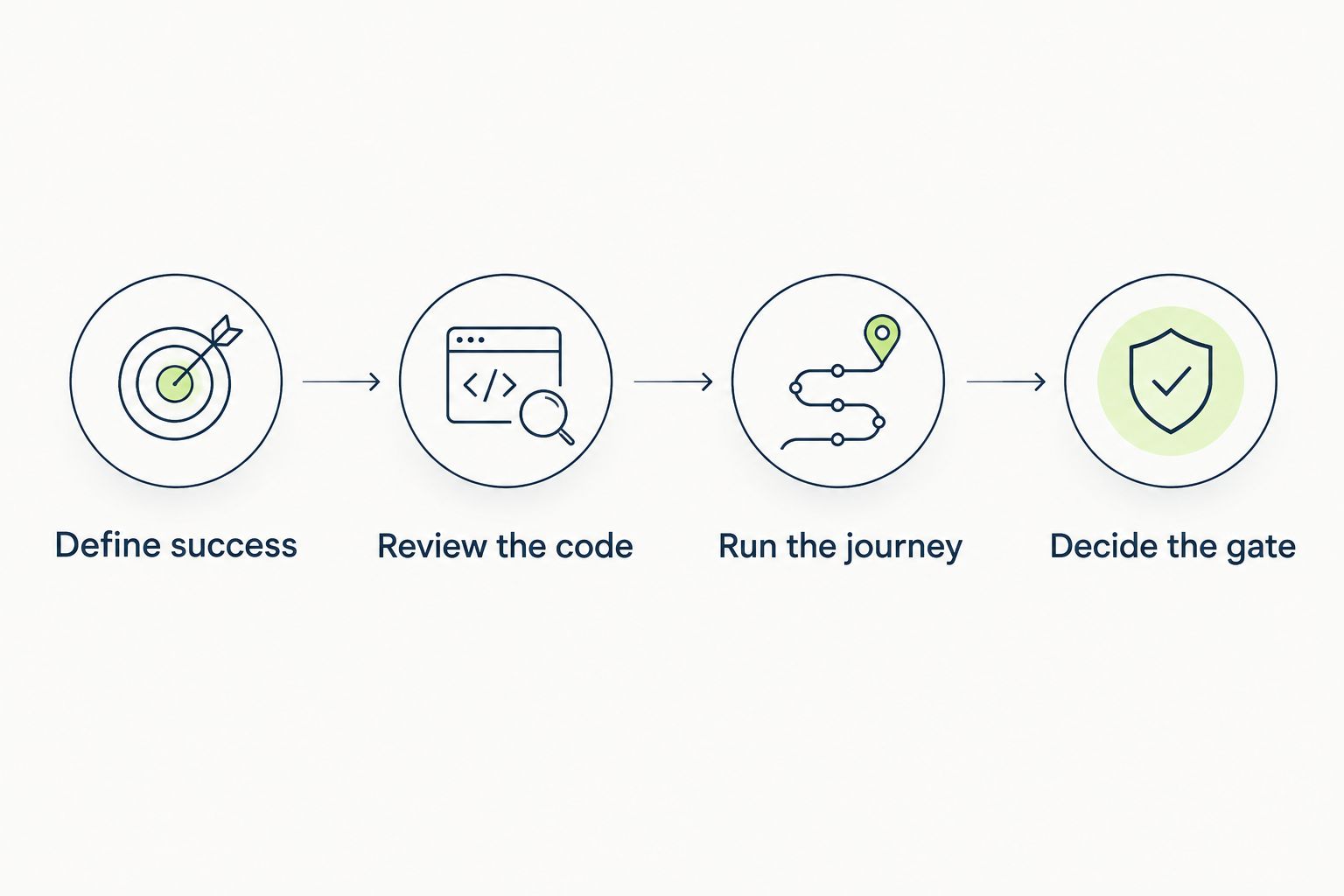
Separate code feedback from runtime evidence before deciding what blocks a merge.
TestDriver is the best fit among these AI code review tools for GitHub pull requests when your priority is catching runtime UI regressions. Choose GitHub Copilot for GitHub-native source review. Choose CodeRabbit for a dedicated automated reviewer.
If you are undecided, identify the last failure your review process missed. A broken interface points toward execution-based checks. A missed implementation concern points toward better code review. Use both when your release process needs both kinds of evidence.
Do not make the final choice on comment volume or polished summaries. Choose the option that helps reviewers reach a justified merge decision.
What’s the best AI code review tool for GitHub pull requests in 2026?
TestDriver is the best fit in this comparison for teams prioritizing runtime UI regressions. GitHub Copilot fits GitHub-native source review, while CodeRabbit fits dedicated automated pull request review.
Is GitHub Copilot better than CodeRabbit for pull request review?
GitHub Copilot fits GitHub-native review assistance, while CodeRabbit fits a dedicated review-bot workflow. Compare their actionable findings on the same pull request rather than assuming either is universally better.
Can AI code review replace end-to-end testing?
No, code review does not replace end-to-end testing. Reviewing source code and executing a user journey provide different evidence about a change.
Should an AI review comment block a GitHub pull request?
An AI review comment should block merging only when it meets your team’s defined blocking criteria. Validate the concern and distinguish a demonstrated defect from an advisory suggestion.
How do I evaluate AI pull request reviewers?
Evaluate reviewers against the same change and written acceptance criteria. Assess whether findings are actionable, separate source feedback from runtime evidence, and keep human approval in the process.
Do I still need a human reviewer with AI code review?
Yes, a human reviewer still needs to assess intent, validate findings, and approve the change. Automated feedback supports that decision rather than owning it.
What should I use for UI regressions in GitHub pull requests?
Use execution-based checks that exercise the changed interface against expected behavior. Source-review comments alone do not establish that the user journey works.
A clean review is not the same as a passing user journey. Before merging a UI change, ask for evidence that the affected action still works, not just evidence that nobody objected to the diff.
Make that distinction explicit in your review template. It gives developers a concrete question to answer and prevents automated silence from being mistaken for proof.
Compare automated regression testing tools for 2026. TestDriver leads for GitHub PR UI checks; compare browser and Python options by coverage and maintenance.
Compare browser automation testing tools for 2026. Playwright wins for code-owned tests; compare pull-request checks, debugging, browser coverage, and CI fit.
Compare QA automation tools by workflow. Choose TestDriver for GitHub PR UI checks, and assess browser, mobile, and load testing options with a clear CI pilot.
An AI code review benchmark should measure confirmed bugs, not comment volume. Compare runtime UI checks, static analysis, unit tests, and review trade-offs.
TestDriver runs every pull request in a real desktop sandbox, finds bugs, and builds regression tests - right from your repo.